Managing unikernels
On the dashbaord, or after a succesful unikernel deployment, the user can see the list of all their running unikernels.
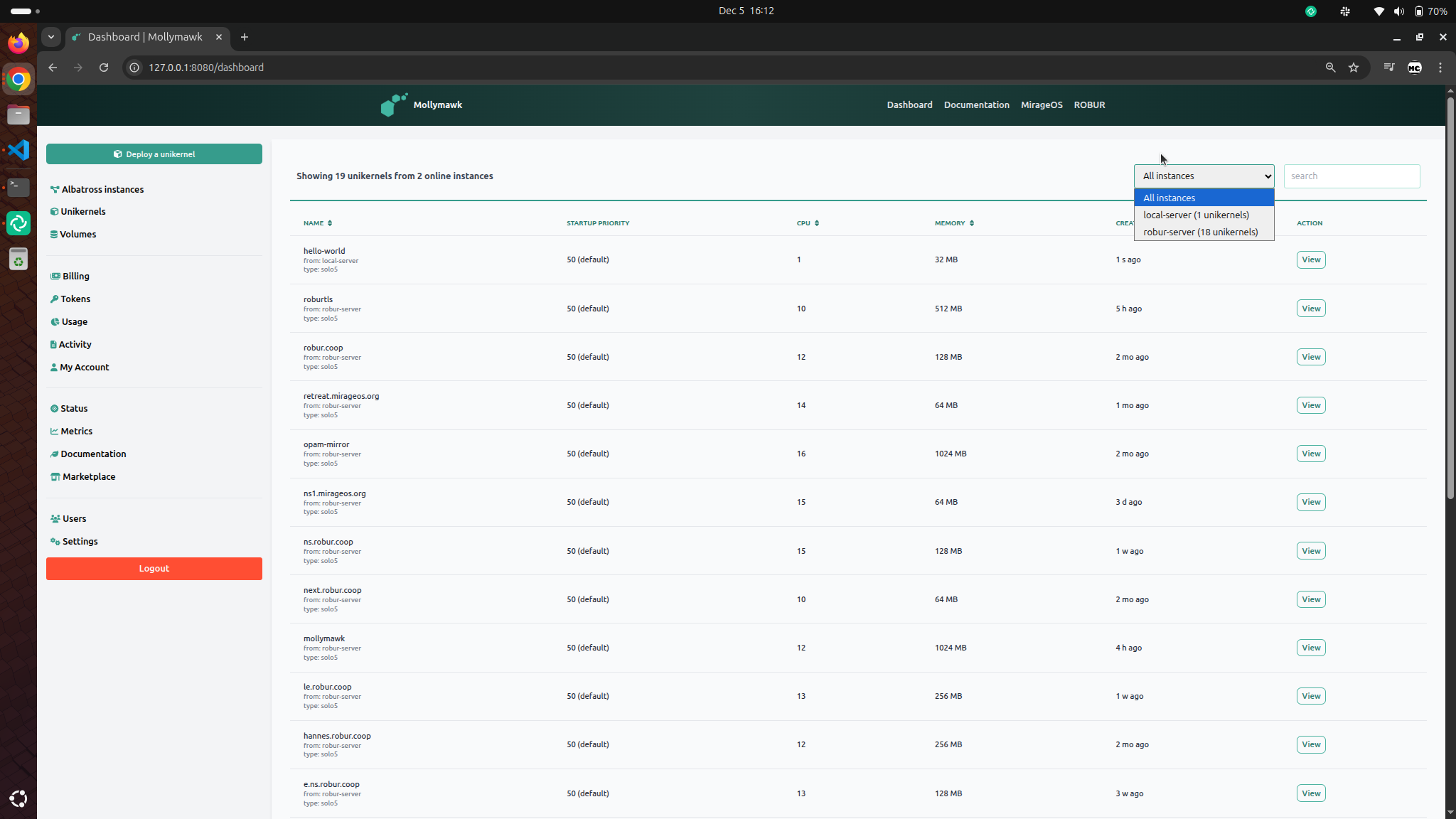
On the top-right corner, you can filter the unikernels by albatross server. To access a specific unikernel, click on the View button.
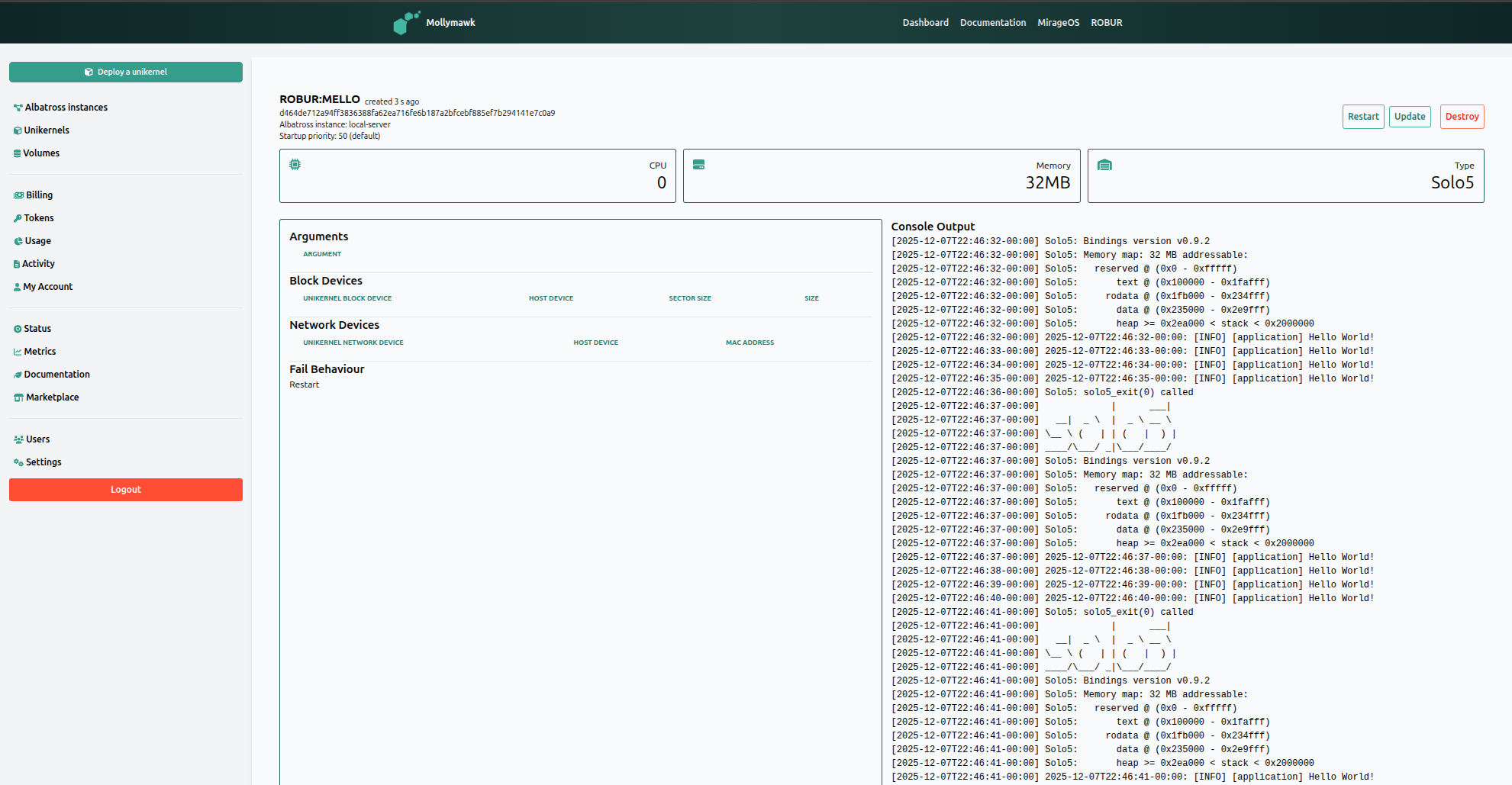
Action Buttons
Located in the top-right corner are three control buttons for managing the unikernel’s lifecycle:
- Restart: To reboot the unikernel.
- Update: To check for and apply newer builds of the unikernel from our reproducible builds platform.
- Destroy: To terminate and remove the unikernel instance.
Console Output
The right column features a scrollable display of the live standard output (logs) from the running unikernel.