Creating Unikernels
A user needs to have a usable policy before they are able to deply a unikernel.
1. Initiation and Instance Selection
When the user clicks the Deploy a unikernel button in the sidebar, the browser attempts to navigate to the unikernel deployment form.
However, the backend performs a check if a specific Albatross instance (server) has been selected for this deployment.
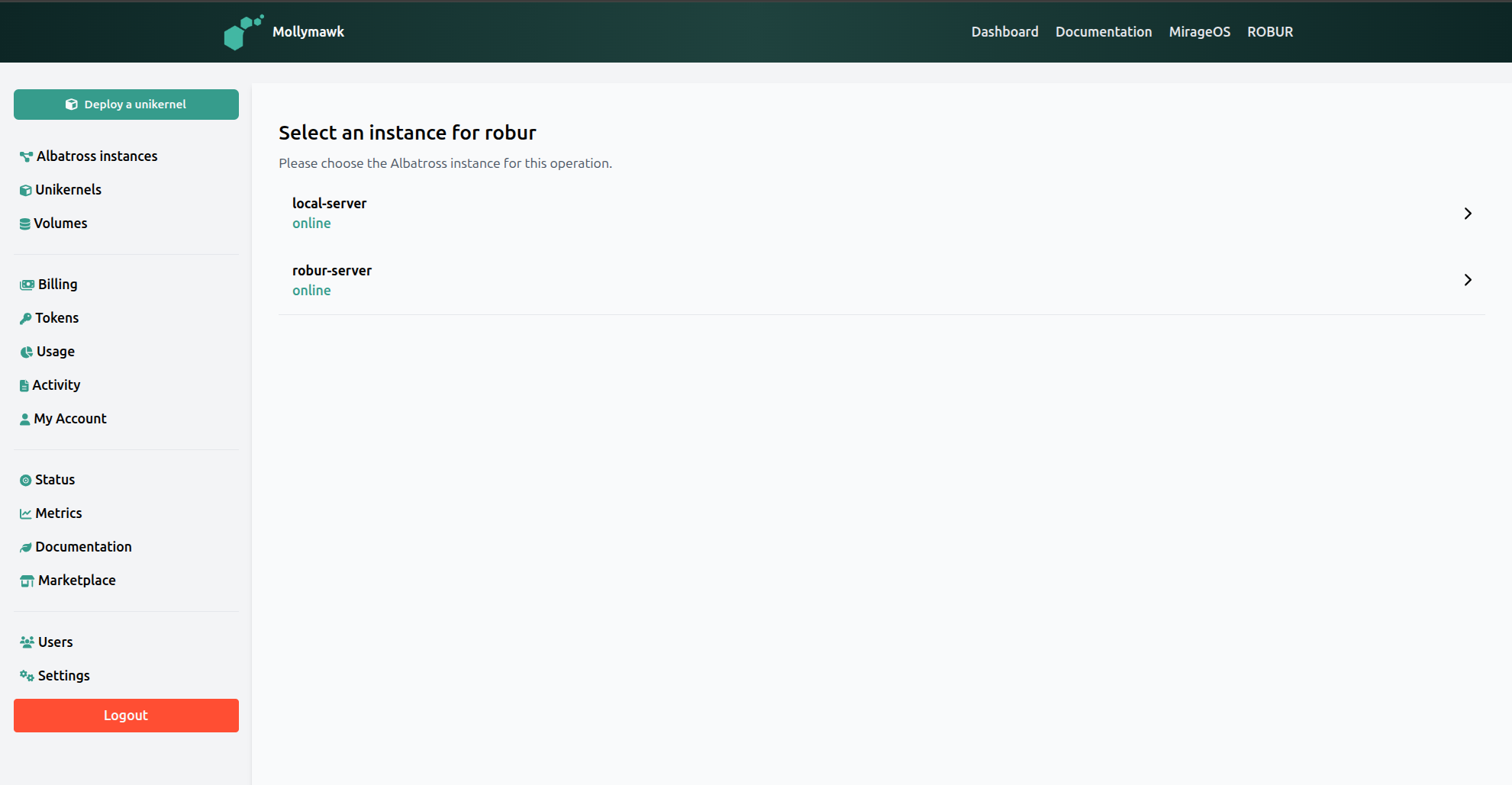
- Redirect to Selection: The system redirects the user to a page where all the albatross servers are listed.
- Auto-Selection: If only one instance exists, the system automatically skips this page and redirects the user to the deployment form with the instance pre-selected.
2. The Deploy Page
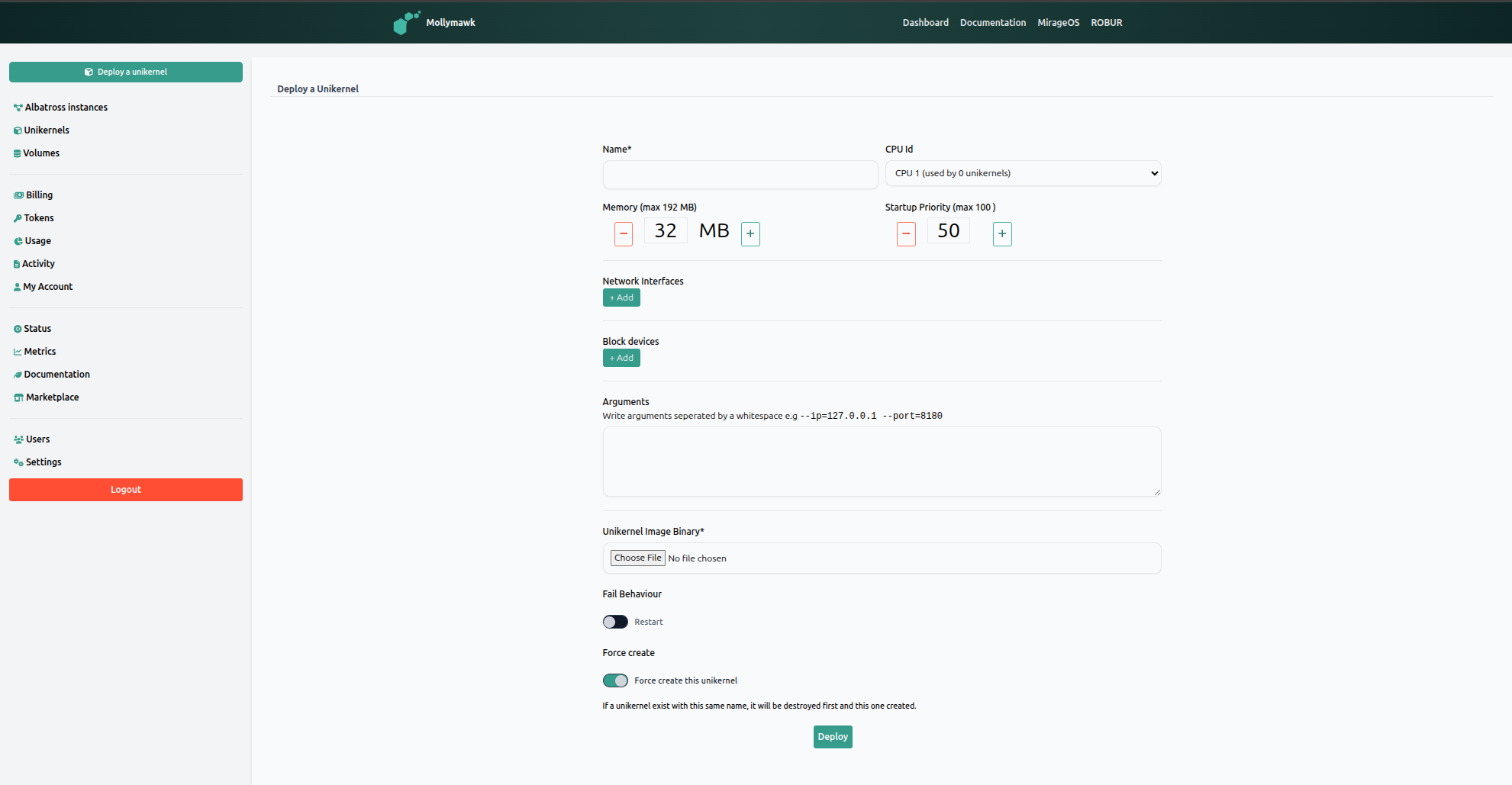
As shown in the deployment interface,, the user configures the following parameters:
- Name: The identifier for the unikernel.
- Resources: The user assigns a CPU Id and allocates Memory (e.g., 32 MB).
- Network & Storage: The user can add Network Interfaces and Block devices.
- Arguments: Boot arguments can be passed to the unikernel (e.g.,
--ip=127.0.0.1). - Fail Behaviour: A toggle to determine if the unikernel should restart on failure.
- Force Create: A toggle that, if enabled, will destroy an existing unikernel with the same name before deploying the new one.
- Unikernel binary Clicking on the
Choose Filebutton, the user can upload the binary image for the unikernel.
For a simple hello world unikernel, we need only to provide mollymawk with the binary, which can be downloaded from our reproducible build infrastructure. Additionally, toggle Fail Behaviour to be on so that the unikernel doesn’t exit after executing.
The backend processes this request using:
- Multipart Parsing: The system reads the request as a multipart stream, extracting the instance name, unikernel configuration, and the binary file,.
- Streaming to Albatross: Rather than buffering the entire file, the system streams the binary content directly to the Albatross.
- Command Execution: Depending on the “Force create” toggle, the system sends either a standard create command or a force create command to Albatross.
If successful, Albatross accepts the stream and initializes the unikernel, and the user is notified of the successful creation.