Updating a unikernel
After clicking the Update button from the unikernel’s page view, mollymawk checks our reproducible builds database if there is a newer version of the unikernel binary available. If any is found, a comparison page is displayed to the user which shows the differences between their currently deployed build and the new build.
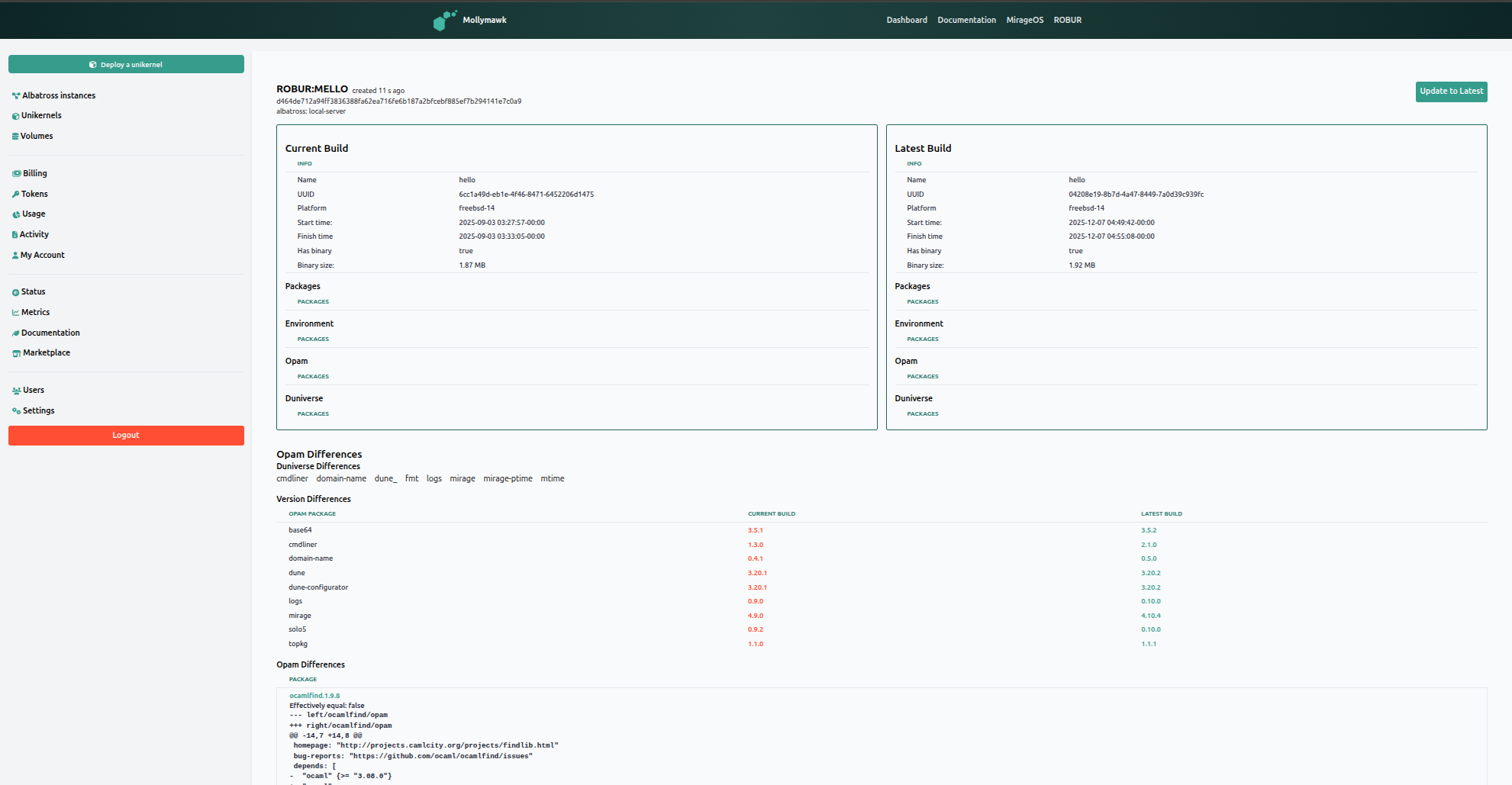
If all is well, click on the Update to Latest button to proceed. A modal will be displayed to enable the user add after-checks or modify configuration parameters according to what the new build requires.

1. Liveliness Checks
These options allow the system to verify that the new build is functioning correctly immediately after deployment. If these checks fail, the system is designed to automatically rollback to the previous working build to prevent downtime.
- Perform a liveliness check: This is the master toggle to enable or disable verification steps after the update is applied.
- HTTP Check:
- Toggle: Enables a web-based availability test.
- HTTP Address: You can input a specific URL (e.g.,
https://example.com) for the system to query. If the unikernel fails to respond to this request, the check is considered failed. A success response from the endpoint/url is enough for this check to pass.
- DNS Check:
- Toggle: Enables a domain name resolution test.
- Domain Name & IP: You verify that the unikernel is correctly resolving specific domains by entering a Domain name (e.g.,
robur.coop) and the expected Domain IP address (e.g.,127.0.0.1).
2. Configuration Updates
When updating the binary, you also have the option to change how the unikernel runs. This is particularly useful if the new build requires more memory or different boot arguments than the previous one.
- Update the configuration for this build: A toggle that enables the editing of runtime parameters.
- JSON Configuration: Unlike the initial graphical deployment form, configuration updates here are handled via a raw JSON editor. This allows you to define specific arguments using JSON syntax.
If no new configuration is provided in this JSON field, the system defaults to reusing the configuration from the currently running instance.
Think of this update process like organ transplant surgery. The Configuration Update is ensuring the new organ fits the body (setting the right size/connections). The Liveliness Check is the doctor checking for a pulse immediately after surgery. If there is no pulse (the check fails), the doctors immediately reverse the procedure (Rollback) to keep the patient alive.